Windows 10 / 11
Download and install AIM 5.9.6089. After it installs, close AIM completely before opening it again.
Download AIM for WindowsYou can use AIM again, and getting online is fast and easy! There are two methods below: download the patched client for the simplest setup, or use an original AIM client and point it at the Wizirdi AIM Revival server!

This is the method that requires the least work. The client is already patched, and is prepared for the Wizirdi AIM Revival server.
If it gives you trouble, enable compatability mode for aim.exe to "Windows XP (Service Pack 2)"
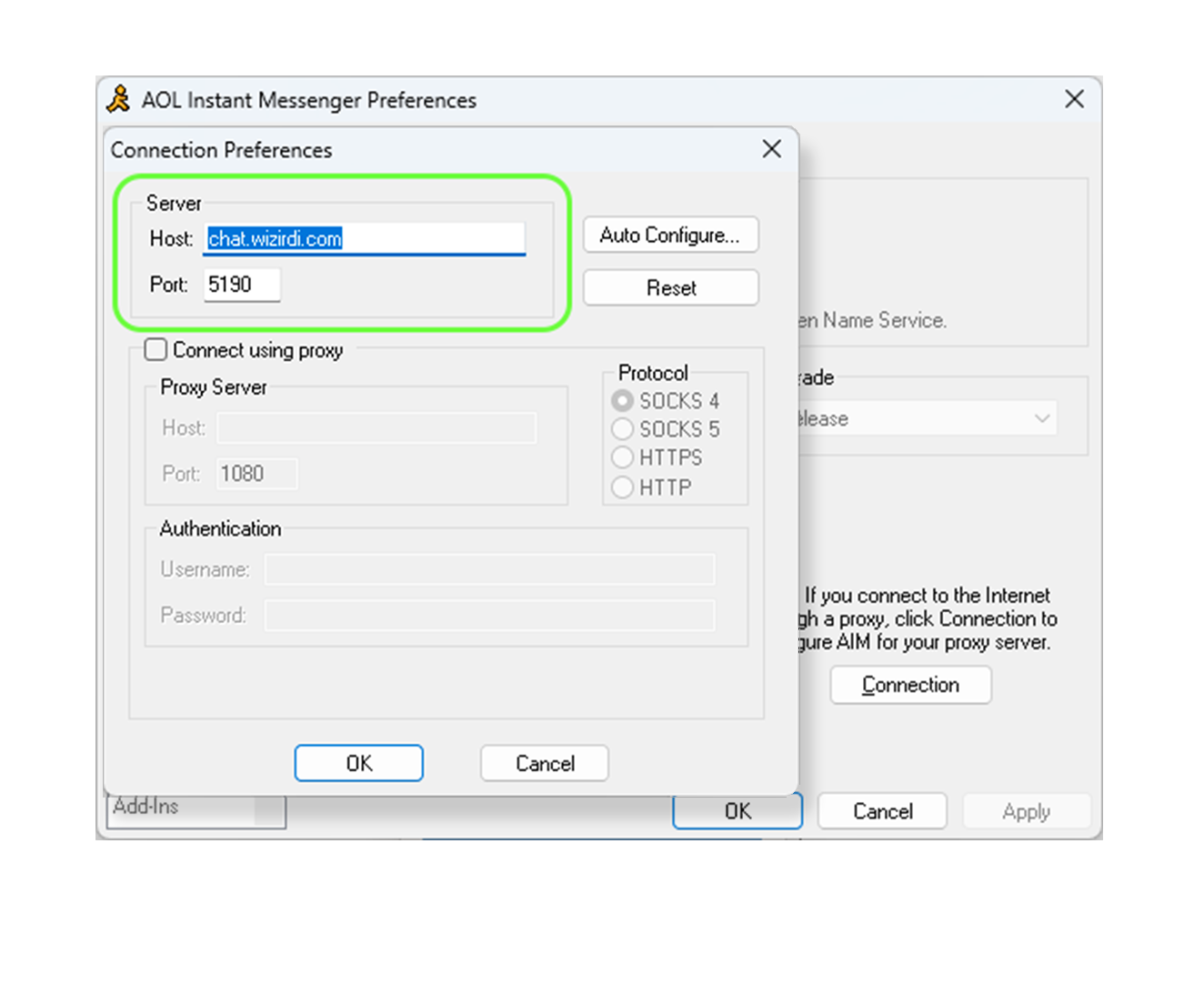
Use these values when AIM asks for the host and port.
Download and install AIM 5.9.6089. After it installs, close AIM completely before opening it again.
Download AIM for WindowsAIM 5.0 through 5.1 can run through Wine. Install Wine, download AIM 5.1.3036, then run the installer with Wine.
For modern Macs, the easiest route is the AIM for macOS project. It wraps the old Windows AIM client so it can run without a full VM.
AIM for macOSIMPORTANT FOR WINDOWS USERS: AIM will not fully close after installing. You will need to open Task Manager and end the AOL Instant Messenger (32 bit) process.
Then open C:\Program Files (x86)\AIM, delete aimapi.dll, and set aim.exe to Windows XP compatibility mode.
After that, launch AIM again.
On the AIM sign-on screen, click Setup. Do this before signing in.
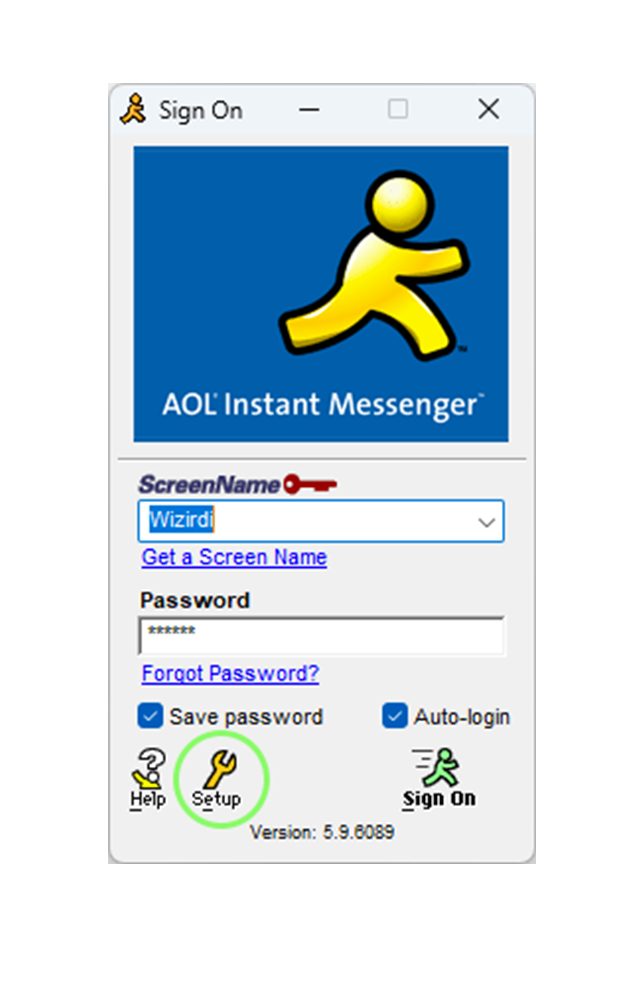
In Preferences, go to Sign On/Off, then choose Connection.
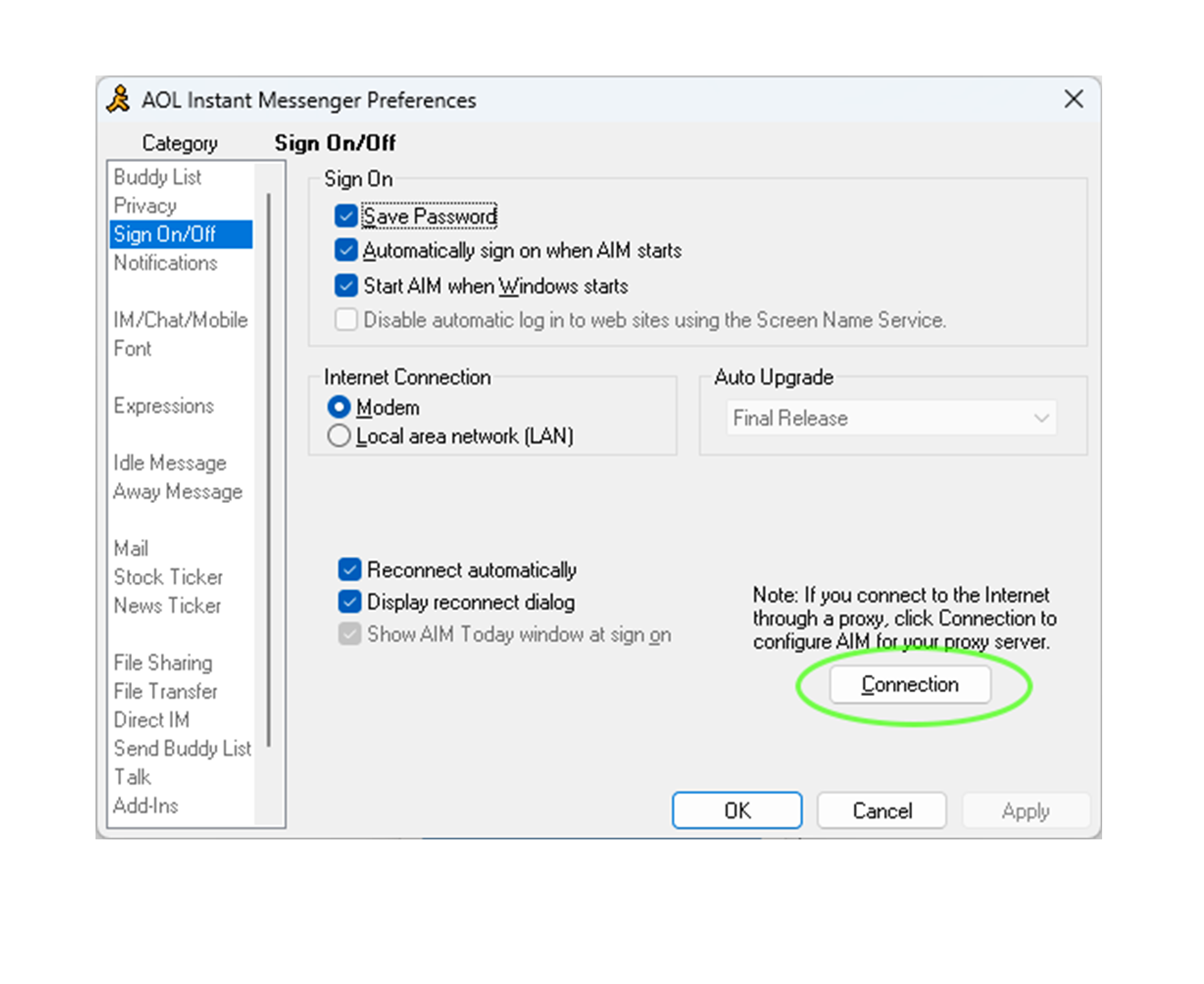
Set the host to chat.wizirdi.com and the port to 5190. Click OK until you are back at the sign-on screen.
Before you sign in, make a screen name for the Wizirdi AIM server.
Create an AIM accountUse the screen name and password you just made, then sign in. AIM should connect to the Wizirdi server.
If it fails, double-check the spelling of chat.wizirdi.com, make sure the port is 5190, and try restarting AIM.
Want to link back? Add this 88 x 31 button to your page.